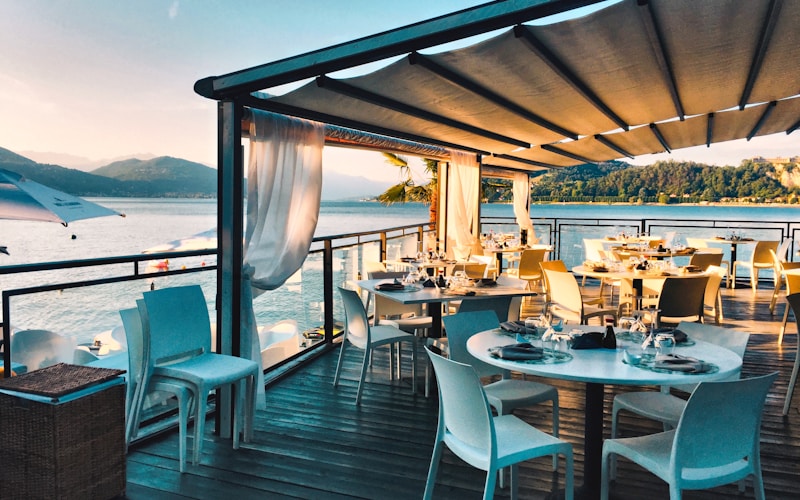

To get more customers for your restaurant using Google Business Profile, claim and fully optimize your GBP listing with accurate hours, high-quality food photos, local keywords, and consistent weekly Google Posts. Actively manage reviews by responding to every one, and target Karachi-specific search terms like "best biryani in Defence" or "restaurants near Clifton" to appear in the local pack — the top 3 map results that capture the majority of nearby searches.
If you run a restaurant in Karachi, your Google Business Profile is the single most powerful free tool available for attracting local customers. When someone nearby searches for "pizza near me" or "best BBQ in Saddar," Google decides which three restaurants appear at the top of the map results — and that decision is heavily influenced by how well your GBP is set up and maintained. This guide walks you through every step of optimizing your profile to consistently pull in more diners.
What Is Google Business Profile and Why It Matters for Restaurants
Google Business Profile (formerly Google My Business) is a free tool from Google that lets you manage how your restaurant appears across Google Search and Google Maps. When a potential customer in Karachi searches for any type of food or restaurant nearby, Google pulls information from GBP listings to populate the local pack — the three business results that appear above the organic search results, complete with a map, ratings, hours, and a call button.
For restaurants, this is critical because:
- 46% of all Google searches have local intent — people looking for something near them
- 76% of people who search for something nearby on their phone visit a related business within 24 hours
- The local pack captures 42% of all clicks for local searches — if you're not in those top 3, you're invisible to most searchers
- Google Maps searches for "restaurants near me" and "best food in [area]" have increased over 200% in Pakistan since 2023
In a city as competitive as Karachi — where thousands of restaurants, cafes, and cloud kitchens operate within the same neighborhoods — having an optimized Google Business Profile is the difference between a constant flow of walk-ins and relying solely on repeat customers.
Step 1: Claim and Verify Your Google Business Profile
Before you can optimize anything, you need to own your listing. Here's how to claim and verify your restaurant's GBP:
- Go to google.com/business and sign in with the Google account you want associated with your restaurant
- Search for your restaurant name. If a listing already exists (Google auto-generates some), click "Claim this business." If not, click "Add your business"
- Enter your restaurant details: name, address, phone number, and category. Make sure the name matches exactly what appears on your storefront — do not stuff keywords into your business name
- Choose "Yes" for delivery and dine-in if applicable, so Google shows you for more search types
- Verify your business. Google typically sends a postcard with a verification code to your restaurant's physical address (takes 5–14 days). Some businesses qualify for phone or email verification, which is instant
Important: Only one GBP listing can exist per physical location. If someone else has already claimed your restaurant's listing, you can request ownership transfer through Google's support process.
Step 2: Complete Every Field in Your Profile
A partially filled profile will never rank as well as a complete one. Google rewards thoroughness. Here's what to fill in and how:
Business Name
Use your exact restaurant name as it appears on your signboard. Do not add "best restaurant Karachi" or other keywords to the name field — this violates Google's guidelines and can get your listing suspended.
Primary and Secondary Categories
Set your primary category to "Restaurant" or the most specific option that fits — "Pakistani Restaurant," "BBQ Restaurant," "Cafe," or "Fast Food Restaurant." Add secondary categories for additional cuisine types you serve. The more specific your category, the better Google can match you to relevant searches.
Business Description
Write a 750-character description that naturally includes your cuisine type, neighborhood, and what makes you unique. Example:
Serving authentic Hyderabadi biryani and BBQ platters in Defence Phase 5, Karachi since 2019. Family-friendly dining with private seating, delivery via Foodpanda, and takeaway. Open daily for lunch and dinner. Rated 4.6 stars by 500+ customers.
Hours of Operation
Set accurate hours for every day. Include special hours for Ramadan, Eid, and public holidays. Restaurants with incorrect hours lose customers immediately — someone who arrives to find you closed will leave a negative review. Update holiday hours at least one week in advance.
Phone Number and Website
Add your primary phone number (the one you actually answer). Link to your website, Foodpanda page, or menu link if you don't have a website. Every additional contact method gives Google more confidence in your listing's legitimacy.
Menu
Google allows you to add a menu link or upload a menu PDF. This is especially useful because people searching "what to eat near me" will see your menu items directly in search results. Include prices — Google favors listings that provide complete pricing information.
Step 3: Add High-Quality Food Photos
Photos are one of the most underrated GBP optimization factors. According to Google, businesses with 100+ photos on their profile receive 520% more calls and 2,717% more direction requests than average. For restaurants, visual appeal directly drives foot traffic.
Essential photos to upload:
- Signature dishes — your best-selling items shot from above or at a 45-degree angle with good lighting
- Interior shots — dining area, private rooms, counter area showing ambiance
- Exterior and signage — so customers can identify your restaurant from the street
- Team and kitchen — chef photos, staff group shots, open kitchen if applicable
- Menu close-ups — physical menu or food menu board
- Plating close-ups — detailed shots of individual dishes that make mouths water
Photo strategy: Upload 10–15 photos during initial setup, then add 2–3 new photos every week. Google favors profiles with fresh, regularly updated content. Use natural lighting whenever possible and avoid heavy filters — Google's algorithm can detect overly edited images.
Step 4: Collect and Respond to Reviews
Reviews are one of the top three ranking factors for the local pack. Google's algorithm considers your review count, average rating, recency, and — critically — whether you respond to reviews. A restaurant with 150 reviews and a 4.4-star rating will outrank a competitor with 20 reviews and a 5.0 rating.
How to Get More Reviews
- Ask at the right moment — after a positive interaction or when a customer compliments the food
- Place a small card on the table with a QR code linking directly to your Google review page
- Add your review link to receipts, your WhatsApp auto-reply, and your social media bio
- Train your staff to mention it politely: "If you enjoyed your meal, we'd love a review on Google — it helps other people find us"
How to Respond to Reviews
Respond to every single review — positive and negative — within 24–48 hours. This signals to Google that your business is active and engaged. Here are response templates:
"Thank you so much, [Name]! We're thrilled you enjoyed the [dish name]. Our team takes pride in every plate we serve. We look forward to welcoming you back soon — feel free to try our [new dish/special] next time!"
"We're sorry to hear about your experience, [Name]. This isn't the standard we hold ourselves to. We'd like to make it right — could you DM us or call [phone number] so we can understand what happened and resolve it directly?"
"Thanks for the kind words, [Name]! It means a lot to our entire team. See you again soon!"
Key review management rules: Never argue publicly. Never offer discounts in review responses (do it privately). Always use the customer's name. Always include a forward-looking statement inviting them back.
Step 5: Publish Weekly Google Posts
Google Posts let you publish updates, offers, events, and menu changes directly to your GBP listing — they appear when people find your restaurant on Search and Maps. Most restaurants ignore this feature entirely, which gives you a competitive edge if you use it consistently.
Weekly Google Posts strategy for restaurants:
- Week 1: Feature a signature dish with a high-quality photo and brief description
- Week 2: Share a limited-time offer (e.g., "20% off family platter this weekend only")
- Week 3: Post about an event, live music night, or special occasion dining
- Week 4: Highlight a menu update, seasonal item, or new dish launch
Each post should include a photo, a short description (150–300 words), and a call-to-action button — "Order Now," "Call Now," or "Learn More." Posts expire after 7 days, so maintaining a weekly schedule ensures there's always fresh content on your profile.
Step 6: Optimize Your Q&A Section
Google allows anyone to ask and answer questions on your GBP listing. Instead of waiting for customers to post inaccurate answers, pre-populate your Q&A section with common questions and answer them yourself:
- "Do you take reservations?" — Answer with your booking method and WhatsApp number
- "Is parking available?" — Describe nearby parking options
- "Do you offer delivery?" — List your delivery platforms and direct ordering options
- "What are your most popular dishes?" — Mention 3–4 signature items
- "Do you cater for events?" — Describe your catering services if applicable
You can also have your team members ask these questions from different Google accounts and then provide official answers. This controls the narrative and saves potential customers from getting outdated or incorrect information.
Targeting Local Keywords in Karachi
For your GBP to rank in relevant searches, your business description, posts, and reviews should naturally include the local keywords people actually search. Here are the highest-impact keywords for Karachi restaurants:
| Keyword Category | Example Keywords to Target |
|---|---|
| Area Names | Defence, Clifton, DHA, Gulshan, Saddar, North Nazimabad, Bahadurabad, PECHS, Malir, Korangi |
| Cuisine Type | Pakistani restaurant, BBQ, biryani, Chinese food, fast food, cafe, dessert place, chai dhaba |
| Near Me Searches | restaurants near me, food near me, best food near Clifton, eatery near DHA Phase 5 |
| Occasion-Based | family restaurant Karachi, dinner place for couples, birthday venue, private dining Karachi |
| Service-Based | restaurant with delivery, late night food Karachi, breakfast place, lunch deals Karachi |
Use these keywords naturally in your business description, Google Posts, and encourage customers to mention specific dishes and locations in their reviews. A review that says "Best nihari in Defence Phase 4" sends a stronger signal to Google than "Great food, highly recommend."
How Reviews Impact Local Pack Ranking
Google's local algorithm weighs three primary factors: relevance (how well your profile matches the search), distance (how close you are to the searcher), and prominence (how well-known and trusted your business is). Reviews directly impact prominence.
Here's how the math works in practice:
- Restaurant A: 180 reviews, 4.5-star average, owner responds to 90% of reviews, 12 new reviews in the past month
- Restaurant B: 35 reviews, 4.8-star average, no owner responses, 1 new review in the past month
- Result: Restaurant A almost always ranks higher in the local pack, even with a slightly lower star rating, because review volume, recency, and engagement (owner responses) all signal prominence to Google
This is why consistently asking for reviews and responding to every one is not optional — it's a direct ranking strategy.
Common Mistakes Restaurants Make with GBP
After optimizing dozens of restaurant profiles in Karachi, here are the most frequent mistakes we see:
- Inconsistent NAP (Name, Address, Phone) — your restaurant name, address, and phone number must be identical across Google, Facebook, Instagram, Foodpanda, and your website. Even small differences like "St" vs "Street" can confuse Google's algorithm
- Keyword stuffing the business name — adding "best restaurant Karachi" to your name violates Google's guidelines and can result in listing suspension
- Ignoring reviews — unanswered negative reviews compound damage. A single unresolved complaint can deter dozens of potential customers
- Outdated hours — especially during Ramadan, Eid, and holidays. Customers who show up to a closed restaurant will leave negative reviews
- No photos or outdated photos — a profile with 3 photos from 2022 looks abandoned. Fresh content signals an active, thriving business
- Not using Google Posts — 90% of restaurants in Karachi never post to their GBP. This is a free visibility channel left completely untapped
- Wrong category selection — choosing "Food and Drink" instead of "Pakistani Restaurant" means you miss hyper-specific searches that convert at higher rates
Expected Timeline for Results
Google Business Profile optimization is not instant — but it's significantly faster than traditional SEO. Here's what to expect:
- Week 1–2: Claim, verify, and complete your profile. Upload initial photos. Set up Q&A. Results: your listing appears in searches but isn't ranking in the local pack yet
- Week 3–4: Begin weekly Google Posts. Start your review collection strategy. Respond to all existing reviews. Results: increased impressions and views on your GBP dashboard
- Week 4–8: Consistent posting and review growth start compounding. Results: your restaurant begins appearing in the local pack for relevant searches. You'll see increases in direction requests, phone calls, and website clicks
- Month 3–6: With sustained effort, your profile gains strong local authority. Results: consistent local pack placement, significant increase in walk-ins attributed to Google, and a growing review base that compounds your visibility
Restaurants that maintain consistent GBP optimization typically see a 30–50% increase in Google-sourced calls and direction requests within the first 3 months. The compounding effect of reviews and fresh content means results improve over time, not plateau.
Quick GBP Audit Checklist
- Business name matches your storefront exactly (no keyword stuffing)
- Primary category is set to the most specific restaurant type
- All hours are accurate, including holiday hours
- At least 50 high-quality photos uploaded
- Menu is linked or uploaded
- Business description includes cuisine type and neighborhood
- Phone number and website are current
- Reviews are responded to within 48 hours
- At least 1 Google Post published per week
- Q&A section has 5+ pre-populated questions
Google Business Profile optimization is the highest-ROI marketing activity any restaurant in Karachi can do. It's free, it directly drives foot traffic, and the results compound over time. The restaurants that invest consistent effort into their GBP will dominate local search results while their competitors remain invisible.
If you want help setting up, optimizing, or managing your restaurant's Google Business Profile, ITSoft-Tech handles the complete process — from claiming and verification to weekly posting, review management, and local keyword targeting. We've helped restaurants across Defence, Clifton, Gulshan, and Saddar increase their Google-sourced customers within weeks.